Category: Firmware

  • [SOLVED] TI CC2640R2F: Error connecting to the target: (Error -242 @ 0x0) A router subpath could not be accessed. The board configuration file is probably incorrect. (Emulation package 7.0.48.0)

    Error connecting to the target: (Error -242 @ 0x0) A router subpath could not be accessed. The board configuration file is probably incorrect. (Emulation package 7.0.48.0)

    Did this error appear while it was working fine yesterday, without error?

    CCS certainly upgraded and this might have automatically modified the JTAG connection mode, preventing from loading code to any board that had previously been working perfectly fine.

    SOLUTION

    In target configuration, you must select right JTAG, SWD, cJTAG mode.
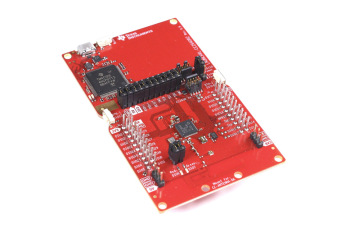
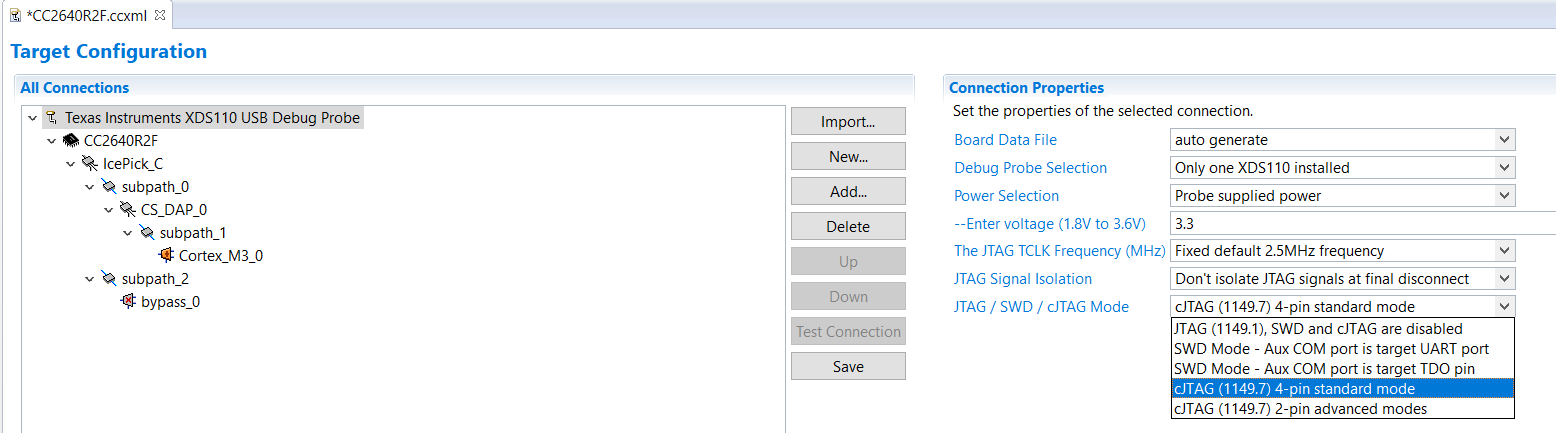
    The LAUNCHXL-CC2640R2 has an on board X110 debug probe, select “cJTAG 4-pin standard mode” in the target configuration file “CC2640R2F.ccxml”:

    select "cJTAG 4-pin standard mode" in the target configuration file "CC2640R2F.ccxml"
    CC2640R2F Target Configuration file

    Still not working?

    • Check the wires for the following signals are connected properly: TMS,TCK,TDI,TDO,RESET and GND.
    • Check the power.
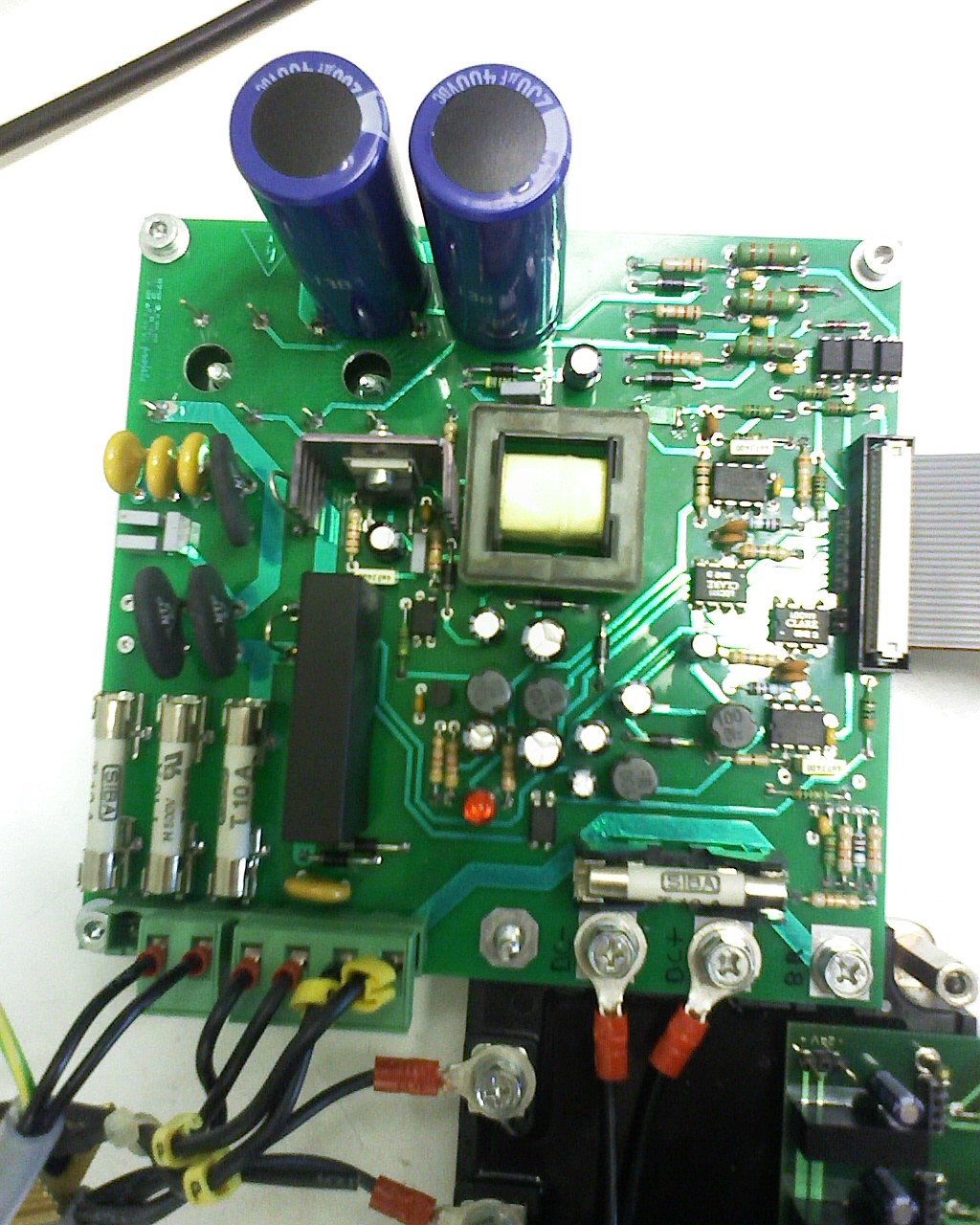
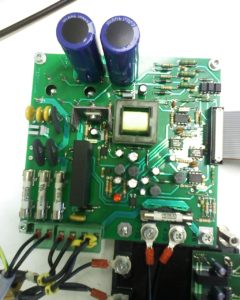
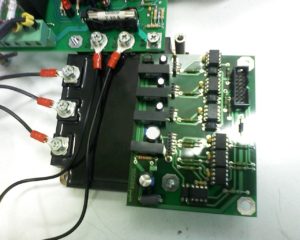
  • MCHP PIC p18f4431: Motor Control, 3-Ph, IGBT

    MCHP PIC p18f4431: Motor Control, 3-Ph, IGBT

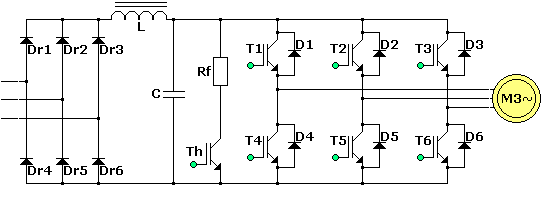
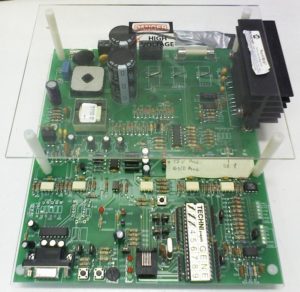
    Development of a 3-Phases motor speed control via PWM controlling IGBTs.
    + Technology watch and R&D.
    + Electronics Hardware (schematics, BOM, PCB layout including SMPS) .
    + Embedded software in bare metal C on Microchip PIC p18f4431.
    + 1KW 3-phases motor.
    + Current sensing.
    + H-bridge regenerative breaking.
    + Flyback DCDC power supply.
    (2006 – 2008)

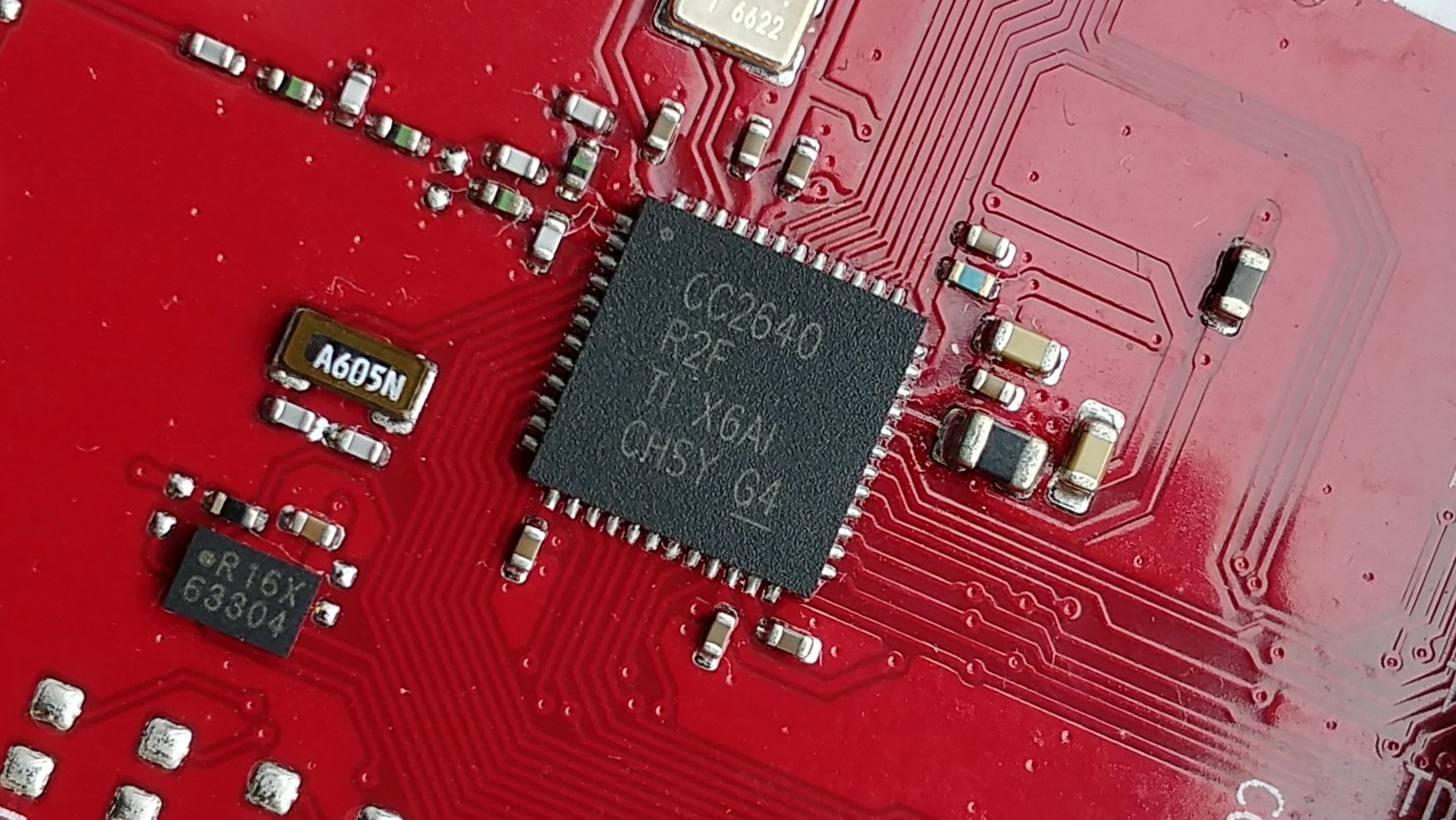
  • CC2640R2F: Smart Bluetooth Low Energy BLE Central (client)

    CC2640R2F: Smart Bluetooth Low Energy BLE Central (client)

    Development of a BLE central; The device is setup as a client, it connects to one or multiple Bluetooth sensors at the same time and without time multiplexing. The central gathers the information, processes them and takes action accordingly. With the TI CC2640R2F it runs on a single AAA battery.
    [Project is still confidential, more details to come later]
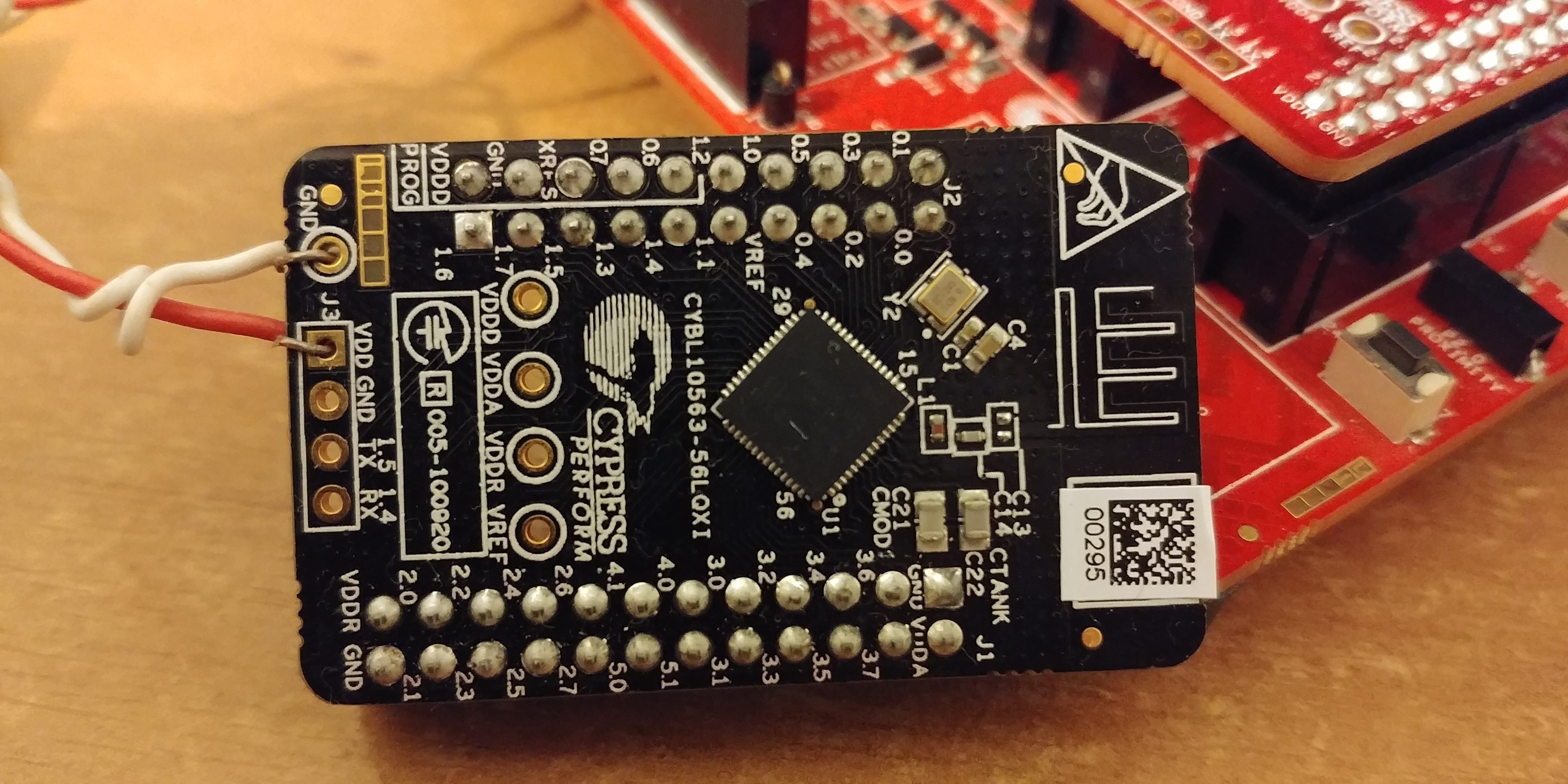
  • Cypress PSoC Central for multiple peripherals

    Cypress PSoC Central for multiple peripherals

    Are you considering using Cypress’s PSoC 4 BLE to run as a central?

    Cypress offers a wide range of BLE 4.x System on Chip (PSoC) and Radio on Chip (PRoC) as well as plenty of certified modules for a faster time to market.

    They also offer various basic embedded software example codes, which are very important for a successful development.

    Many BLE systems are used as Peripherals, running a GATT Server. A client can connect to the peripheral and typically performs read / writes on its characteristics.

    One type of popular Client are smartphones, they are usually used for user setup, gathering data and general interaction with the Bluetooth peripheral.

    It is also possible for Cypress’s PSoC 4 BLE to act as a client. The IoT chip can scan for advertisement data, get the scan response, connect to the peripheral, discover its characteristics, and perform read/write/notify on them.

    Multiple peripherals

    Cypress’s PSoC 4 BLE does not support simultaneous connection to multiple peripherals.

    They however advertise what they are calling “time multiplexing”.

    What is Cypress’s PSoC connection time multiplexing? 

    Behind this marketing term “time multiplexing” is a very basic concept : because PSOC 4 BLE used as a central cannot connect to multiple peripheral at once, the central will connect to one peripheral after another, one at a time… as easy as it sounds.

    A typical application for a PSoC 4 BLE Time Multipled Central (TMC) could follow a sequence like this :

    1. Scan for all peripherals.
    2. Connect to the first peripheral and discover its characteristics.
    3. Disconnect.
    4. Connect to every other peripheral and discover their characteristics in a similar manner.
    5. Bond to all peripherals the system is interested with.
    6. Connect to one of the peripheral.
    7. Do the necessary Read/Write operations.
    8. Disconnect.
    9. Repeat operations #6 to #8 in a loop with every peripheral.


    Why is Cypress’s Time Multiplexing a bad approach? 

    While a BLE Time Multiplexed GAP Central seems easy and works fine, there’s a couple of reasons why this approach is very bad.

    Power (in)efficiency

    First, BLE stands for Bluetooth Low Energy, and as the name implies, it has been designed to be energy efficient. The time multiplexing does not allow to take profit of the design and thus is very inefficient.

    In BLE, the connection is maintained open by periodical short messages (Connection Interval), this is handled at the low level (Link Layer), allowing the application to sleep. Cypress’s solution for a multi peripheral central implies CPU and BLE overhead due to the connection /disconnection. This affects both central and the peripheral.

    Notification/Indication 

    BLE has a Notification/Indication system that can notify the client of a change in the peripheral’s value. Doing so there’s no need of constantly polling the data. Both central and peripheral can sleep as long as there’s no data update.

    These flags are disabled by default and it is required to activate them by performing a write operation to the CCCD (Client Characteristic Configuration Descriptor) of the corresponding characteristic.

    Most peripherals reset all flags on disconnection, thus making it useless with Cypress’s time multiplexing.

    Stolen peripheral 

    BLE is now widely used and everyone has a smartphone capable of connecting to any peripheral that is advertising. Once connected, the peripheral will stop advertising because it is already connected and cannot accept a new connection.

    This means that if you have 4 devices you connect to in a time multiplexed manner, each device will be available and connectable 3/4 of the time.

    During this time, should anyone connect to the device, it’ll be invisible to the central and impossible to connect to. Connecting to a peripheral could be intentional or unintentional. What I’ve learned from experience and very concerning in an industrial environment is that bugs in some Android devices lead Android not willing to disconnect from the peripheral even though the Bluetooth is switched off in the UI! The only reliable solution found is to reboot the Android phone.

    Placeholder for research : would BLE authentication improve this issue by avoiding a hacker to connect to the peripheral?

    Could the BLE component be improved 

    Cypress’s BLE component could certainly be improved in various manners, but the limiting RAM space and lack of low layer documentation seems to make this solution very difficult. I think this development time should be spent doing a better user application rather spending time on developing a proprietary BLE driver

    The advantages of BLE Time Multiplexed Connection

    The main advantage by far of such a system is to be able to connect to an unlimited number of peripherals. Whether there are 4 or 40 sensors in the system, there is not much difference from the central’s point of view. The connection time will of course be shared between all sensors with all the downside listed above.

    Most sensors are battery powered, it is possible for the user application to sleep while no client is connected and wake-up only once a connection request is received. Advertisement is handled by the link layer, no need for the user application to run.

    Other solutions 

    I have successfully developed a BLE central client, able to connect with multiple simultaneous peripherals at once. The central is maintaining connections for 4 peripherals while advertising and allowing connection of a client to its own GATT server. The low power client also supports all the benefits of BLE including Notifications and CPU sleep. However, the BLE central is based on a TI CC2640R2F instead of Cypress’s solution.

    Are you looking to create your own BLE central device, taking advantage of the low power design of the wireless connection? I am looking forward to discuss your needs, contact me now: jerome at yupana-engineering.com!
     

  • Hands on TI CC2640R2F

    Hands on TI CC2640R2F

    This is my first experience with CC2640R2F and also with TI more generally so I thought I’ll write down my feelings after a week as it might be of interest to someone else.

    Background

    I should mention that this was my very first time developing with TI, which means most of the comments concern TI more than the CC2640R2F specifically. I have been developing with other brands like Atmel, Microchip, Motorola and Cypress so there will be some kind of comparison with them.

    Goal and expectations

    I’ve been given a week to evaluate the CC2640R2F and try to estimate the required time for achieving the corresponding project. The accent is put on the capacity to connect up to 4 peripherals and one client. The connection needs to automatically be established and reconnected if disconnected.

    The chip

    The TI CC2640R2F is an improved version of the famous TI CC2640. The main difference is that the radio stack stays in an added ROM memory. This leaves more flash space for the user application. The chip is also ready for Bluetooth 5.0 once the Stack and SDK will be released. The main difference on this is a reduced link budget for an extended range, perfect for IoT.

    LAUNCHXL CC2640R2 LaunchPad demo board

    I have been using the Launchpad which contains the Smart Bluetooth CC2640R2F controller, a Serial over USB chip also used for ISP and debugging, 2 leds and 2 user buttons.

    Installation

    Installation was long, on my computer it took a few hours for

    • BLE SDK and
    • code composer studio 7 (CCS 7).

    I made the mistake of choosing my own install directory, this is strongly unadvertised so after some errors I reinstalled everything again. this was on my “old” laptop so it might be quicker for you.

    CCS7

    Code Composer Studio 7 is based on eclipse that I already know from Android Apps development. However, the default view doesn’t show all the features I am used to have but that’s just a matter of configuration.

    Hello World

    As a hello world project I choose the “simple central” example project because it is close to my needs. Later I found the “multi role” project that’s even closer.

    Firstly impossible to compile : missing xxx files. Surely they are not in the directory, but how to get them in? I searched the forum but couldn’t find the answer so I asked for it. One user was quite quick for replying. It turns out you have to import the project API too, called “project name api”. Unfortunately CCS7 does not give you any hint why the files might be missing.

    Help

    I anticipated the problem that comes with every new IDE and system and ask for help. Tutor XYZ* who’s a professional that’s been working closely with and for TI briefly introduced me to the chip family and helped me to start. It is so much more convenient with someone’s help 🙂

    I asked my tutor and several other people, where is the documentation for the “simple central” or “multi role” examples. Surely there is. To that I got only very generic answers, “there isn’t any”, there’s a wiki and there’s a forum just ask everything there.

    The good news is that there is documentation, the bad news, it’s all over the places. So let’s list them:

    – SimpleLink academy. Learn about Smart Bluetooth applied to TI’s stack.

    – TI SDK user guide. I first discarded this document because I don’t understand what examples are doing in the SDK user guide. Still, this is where you will find the most complete and valuable information.

    – c:/ti/sdk_xxx/ directory. Mainly a doxygen help but does also provide information.

    – The forum e2e. This chip family has been around for years, so there should be a lot of common questions already answered. Unfortunately the search tool is not so good.

    – GitHub. Yes, there’s quite a lot of codes and guides that can’t be found anywhere else. I avoided GitHub at first because CCS7 has a cloud based Explorer so the content should be the same. The code is probably but the doc is definitely present in GitHub and missing in CCS7. FAIL. The search results is the best because it is looking into projects from similar controllers too. This brings us to the last point.
    https://github.com/ti-simplelink/ble-sdk-210-extra/tree/master/Projects/ble/multi_role

    – CC2640. Of course most of the examples and documentation for the CC2640R2F is the same as for the CC2640, make sure your searches include both.

    *XYZ. I prefer not to disclose the person’s name until I get approval to do so.

    EDIT 21.03.2017: It seems like TI read in my mind (or got my feedback via XYZ?), they now provide a description for each example directly in CCS’s cloud! It’s however not at the root but you should find it at two parent level from it.

  • Cypress PSoC Review

    Cypress PSoC Review

    Five months have gone since I first started with Cypress, I have now had the chance to try different aspects of their tools on a personal IoT project. Time do do a Cypress PSoC review.

    Was Cypress a good choice for the IoT project? 

    Cypress’s PSoC 4 family is great I believe, the devices are powerful and enable unlimited possibilities for integrated IoT with the System On Chip. Fewer discreet components means fewer manufacturing problems and cheaper too. Changing the system is as easy as updating the firmware.

    There is one problem that seems to come back every day on forums. That is the system’s complexity. Cypress has tried to addressed this by providing tools, IDE, configuration via schematics design and components, videos, tutos, forums and actually responsive customer service. Some very basic questions on the core’s documentation are unfortunately yet to be addressed. For example, I was asking the following question:

    If I want to add a 10ms delay, how can I find the function that does this?

    We all expect something like:

    Delay_ms(10);

    Yet the function is:

    CyDelay(10);

    Now, where is the documentation, what parameters does this function take?

    Answer from Cypress:

    Let me think about the question.

    We are now a few months later and I’m still waiting for the answer.

    The IDE

    It’s only now that I look at Cypress’s IDE that I realised how great and awesome Atmel Studio is.

    I won’t list the issues here but don’t expect anything user friendly.

    Nevertheless, they do offer a button to export the project to Eclipse [and others], I have tried this but importing it to Eclipse has never worked.

    Was PSoC 4 BLE a good microcontroller choice for the IoT project ? 

    In a previous post I described the way that led me to the Cypress PSoC 4 BLE controller for my IoT device.

    Due to some lack of clear information on their website it was pretty difficult to understand the product road map. I initially choose the PSoC 4 BLE because it is powerful, but it turns out the certified Bluetooth module Cyble-012011-00 has for controller a PRoC, Programable Radio on Chip. This information was not so obvious to find. It is essentially the same chip, minus the programmable analogue components. The good thing is that the effects are minor to none, I did not plan to use the analogue part in my first IoT project anyway. The PRoC is naturally cheaper than the PSoC 4 BLE. It has some limitations on the pin mapping which I didn’t expect but this had no effect too.

    The specs

    What I’ve noticed later is that the power consumption is more important than their competitors, and the analogue routing is limited and finally less flexible than some conventional MCUs. The analogue does however work like a real circuit, without clock at all.

    Should You Be Using Cypress For Your IoT Project? 

    First, don’t be scared. If you have time just take it easy you will learn. If you don’t know much about SoCs it might be hard according to forum members. I’ve had the chance to work multiple times with Altera’s Cyclone at university. So I did learn VHDL, but you don’t need it to start as Cypress has perfectly hidden away the VHDL behind the scenes (components)!

    The good thing is that once you have got something running you just improve it as you go.

    For sure, as advertised, getting started is super easy!

  • From Idea to IoT

    From Idea to IoT

    Internet of things (IOT) concept
    Licensed from: onephoto / yayimages.com

    Hello World!

    I’m Jérôme, a French electronics and embedded software engineer. I am usually working as an employee or now as a freelancer, or contractor. But there is a challenge I really want do: Bring my own IoT idea to life!

    IoT stands for internet of things. It’s a name to speak about things that interact to each other rather than to humans.

    I will share this journey with you, I am not yet sure about the content but I can imagine there will be tips, things I learned on the way, etc.

    While creating my own my own IoT product from scratch is already a challenge, I’ll add to this one more level of difficulty: I’m a Digital Nomad.

    What’s that, a Digital Nomad?


    We call Digital Nomad anyone travelling or regularly changing location while working online. Online refers to anything on the computer, digital, not-material, easy to carry around. This typically includes web or software development, design, marketing,… but there is no limit.

    Doesn’t electronics involve hardware? 

    Yes it does, and that’s certainly the major challenge in this project; working with hardware while being on the road. This will naturally lead me to finding ways around the hardware problem, how to avoid carrying an oscilloscope with me on my travels 🙂

    Why are you doing something crazy? 

    I could simply get a job, work in electronics development or as a freelance embedded software developer in one city. I’m still getting multiple offers every day for “fixed location jobs”. I could change for web or software development as I have experience in this too.

    However… I love electronics, I love travelling and I love challenges. I did try to find a remote work contract on Upwork.com but while waiting for the prefect offer it just happened that I started my own project. Let’s see how it goes 🙂